---
title: "Adding a new column"
url: "https://help.fizzy.do/3/fizzy-help-guide/56/adding-a-new-column"
---
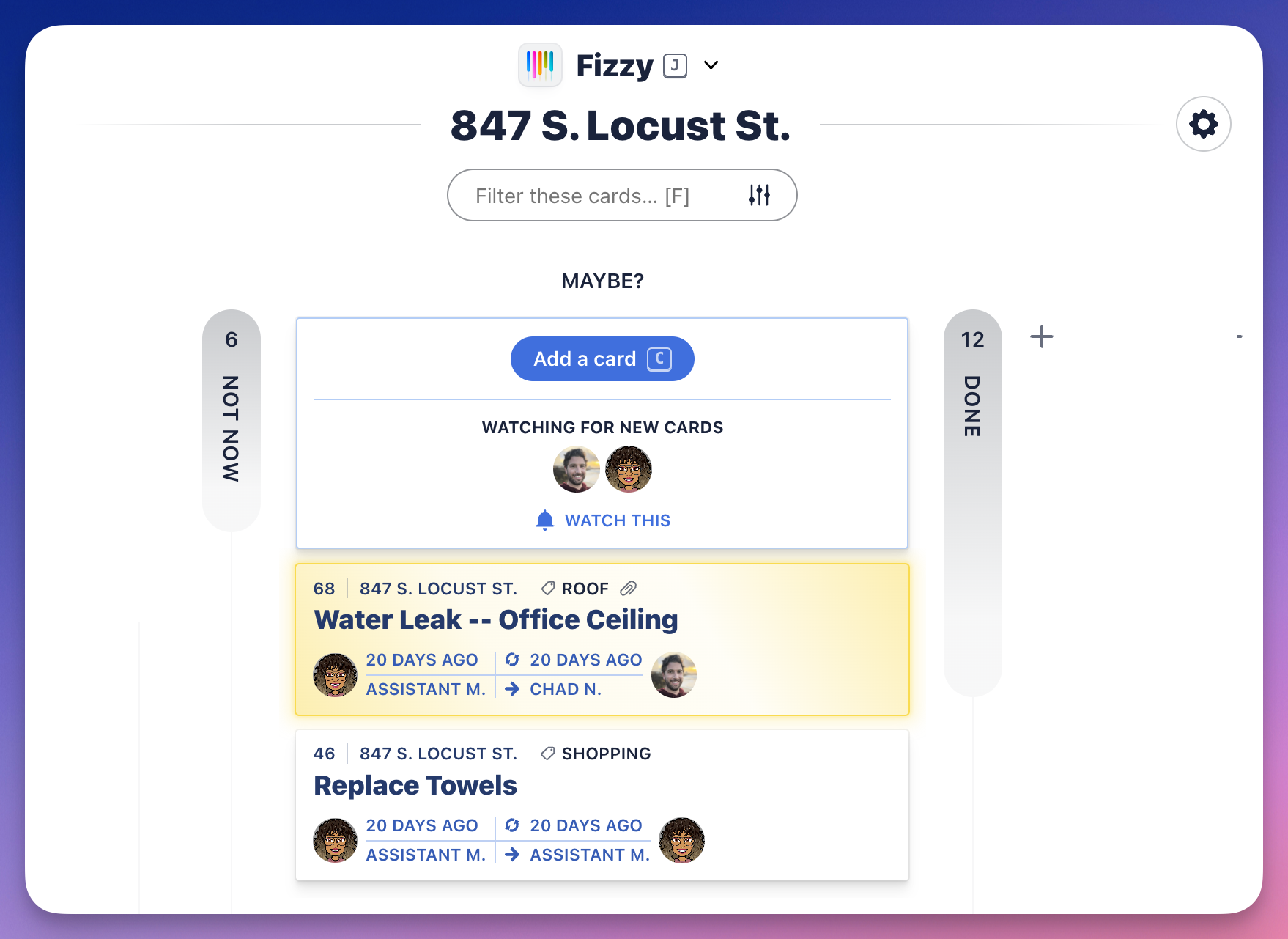
Instantly see the status of your cards with columns. By default, boards start with three columns: NOT NOW, MAYBE?, and DONE.
Cards are created in the **MAYBE?** column. From there, you'll make the decision to work on it or move it straight to the **NOT NOW** column off to the left.
###Add a column
You'll likely need other columns to represent your cards' statuses. To add a new column:
1. Click the little + to the right of the **DONE** column.
2. Name the column.
3. Pick a color.
4. Click the **Add column** button.