---
title: "My Profile"
url: "https://help.fizzy.do/3/fizzy-help-guide/63/my-profile"
---
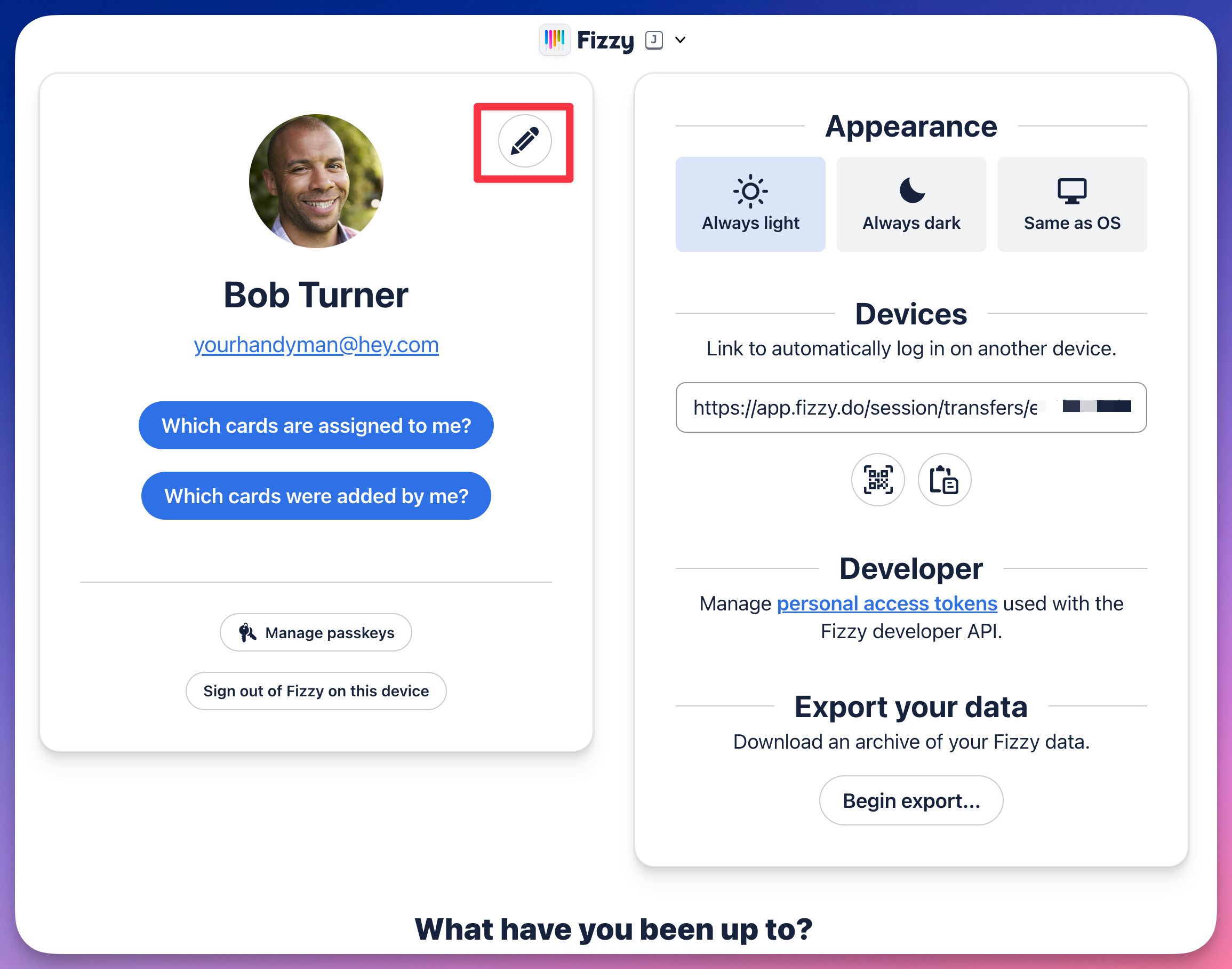
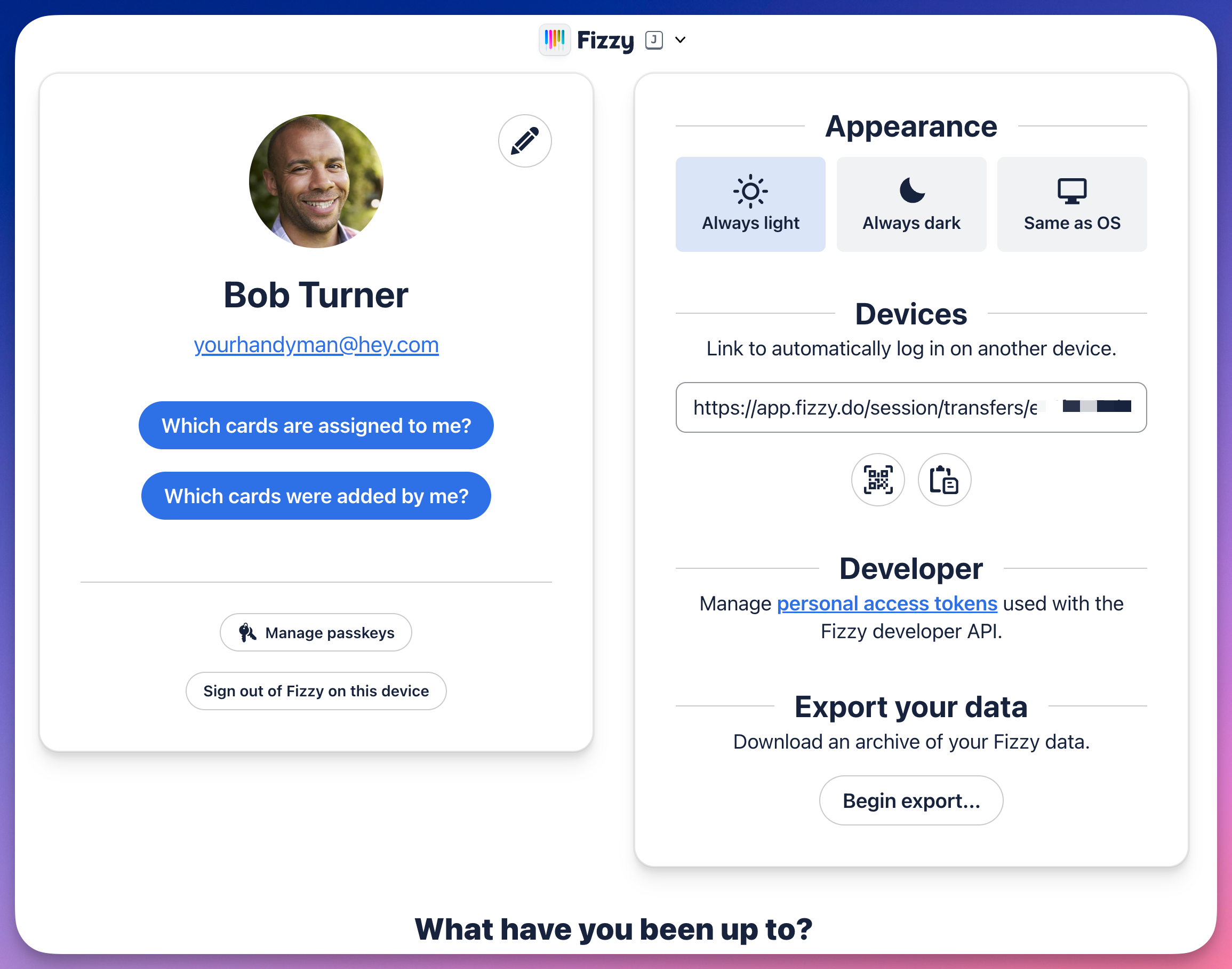
Your profile is where you'll see everything about you — your personal information, the cards you're a part of, what you've been up to in Fizzy, your login link and passkeys. You can also export the data of all cards you have access to here.
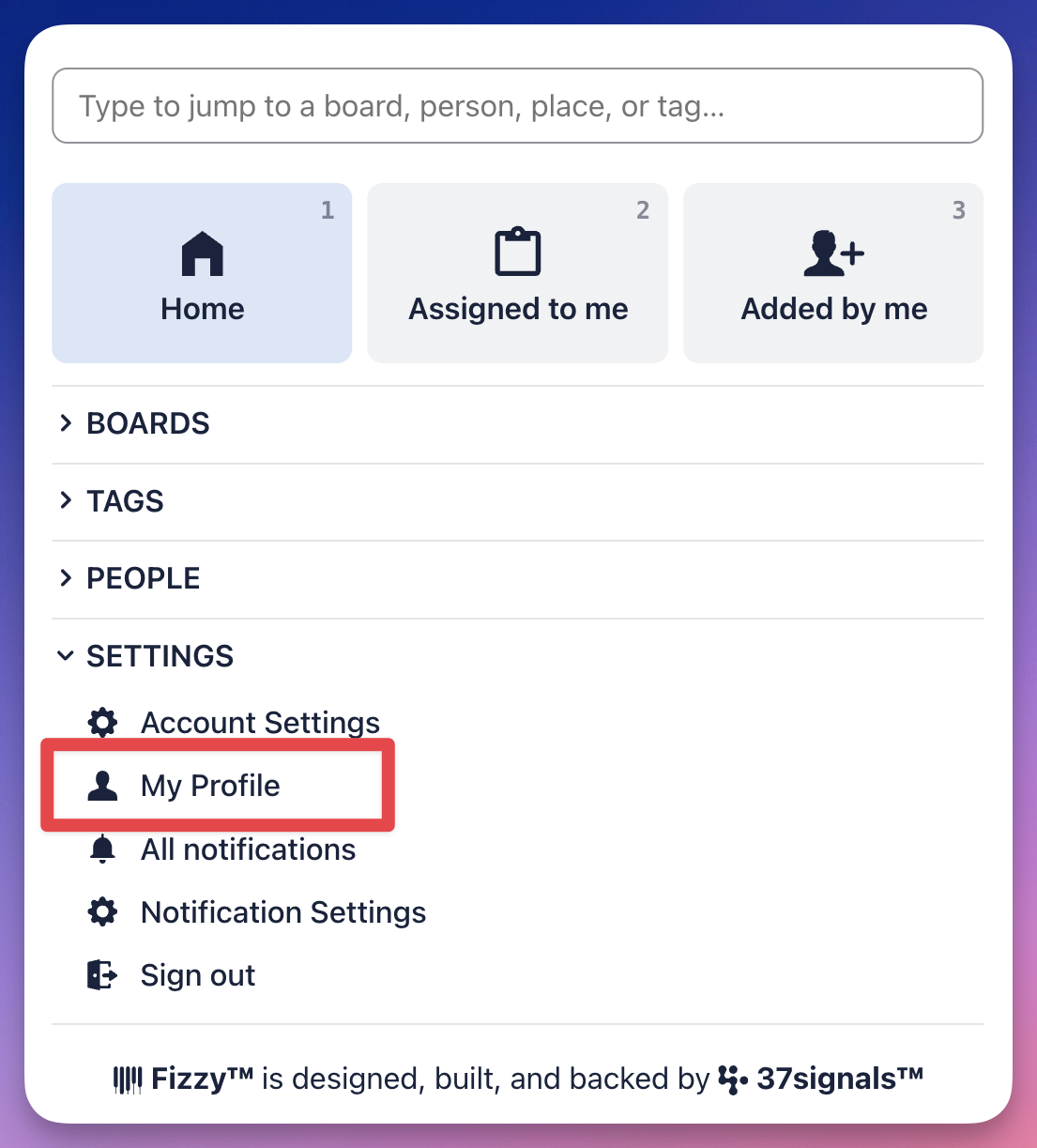
To get there, you'll open the Fizzy menu (J) and click the **My Profile** option located in the **Settings** section.
To edit your profile, click the "pencil" icon located to the right of your avatar to edit your name, change your email address, and upload your avatar image.