Move a card
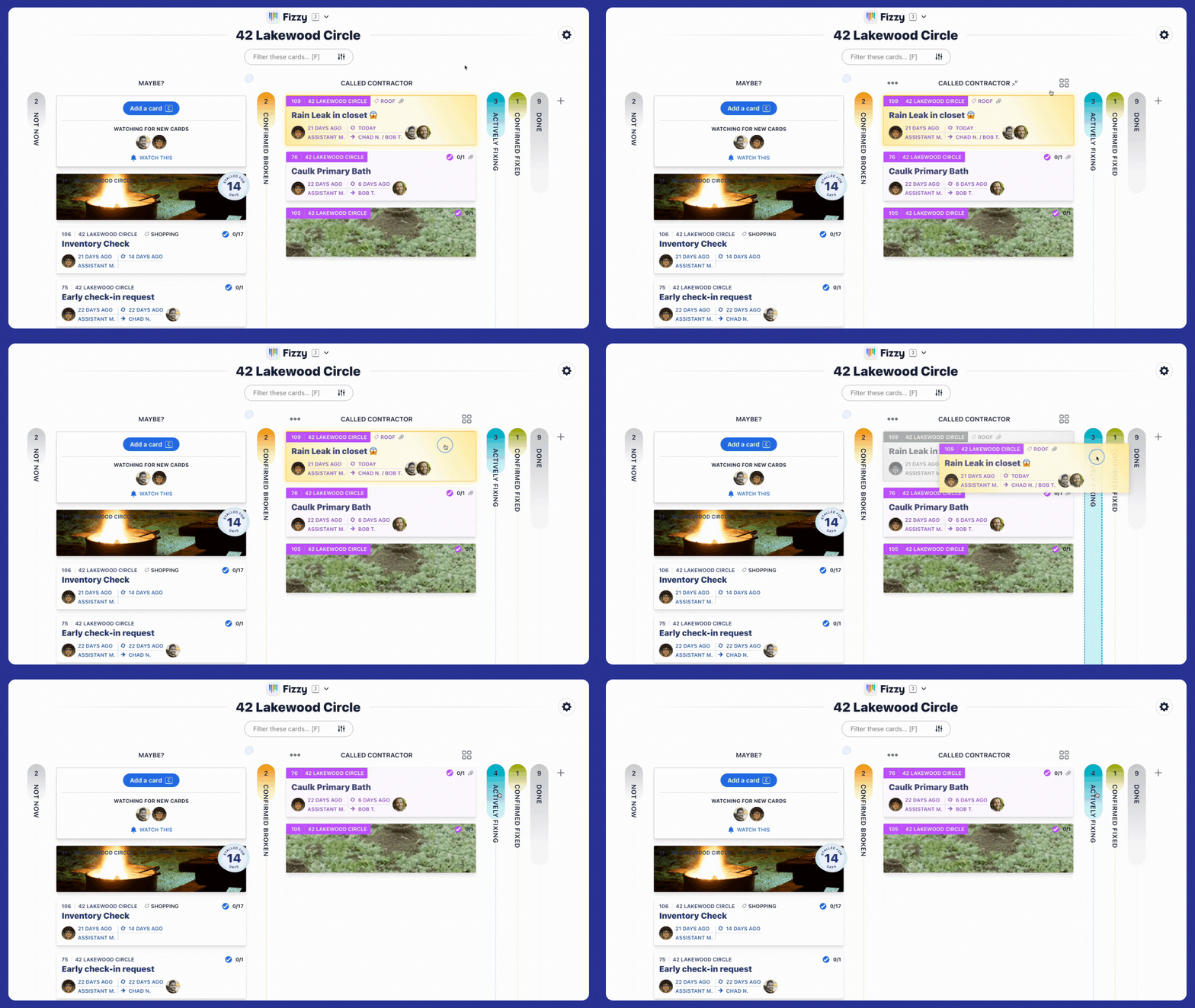
As work progresses, you'll move it to a different column so you can quickly see its status on the board. When looking at a board, simply drag and drop a card between columns to move it.
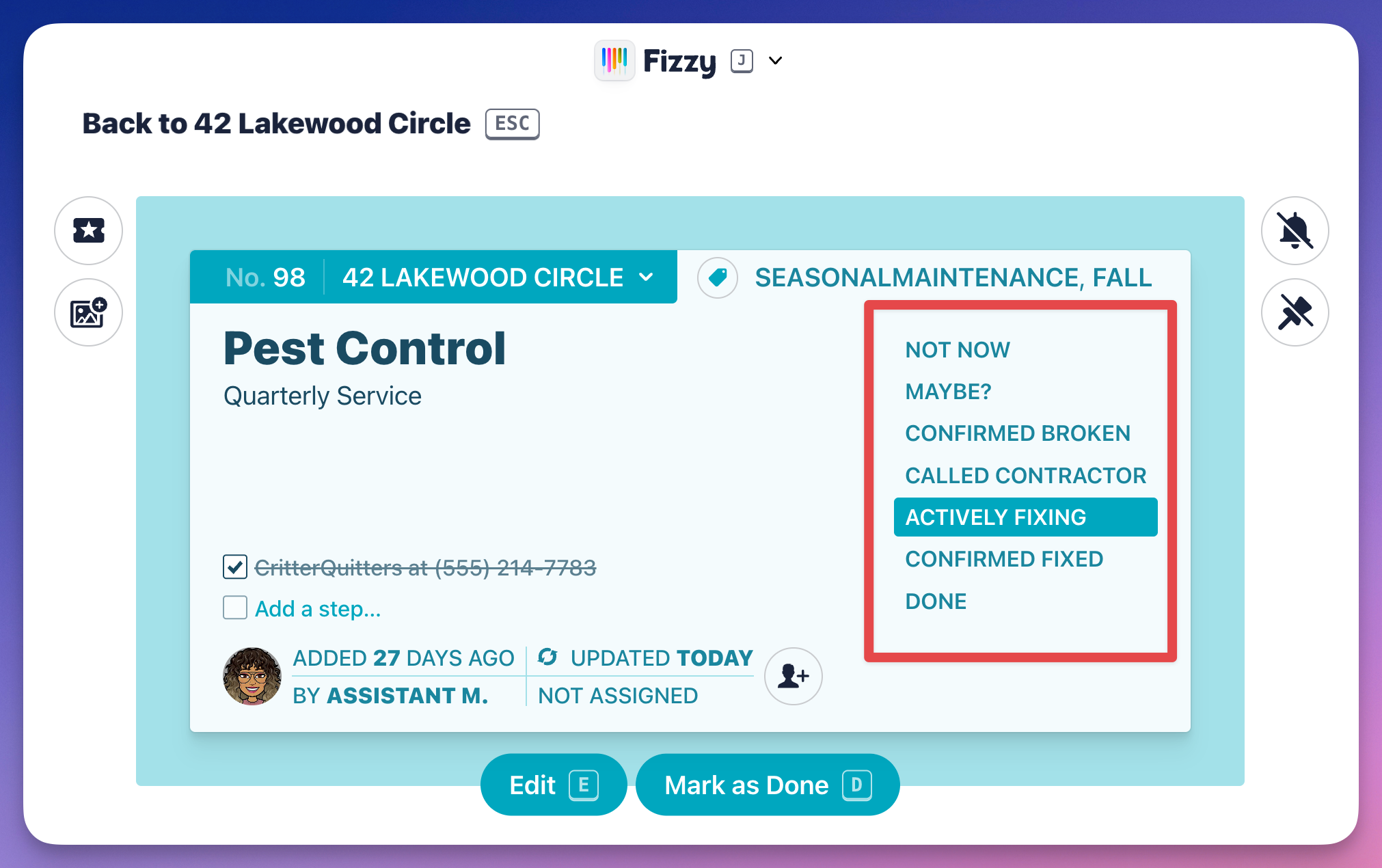
Already have a particular card open? Click a column from the list on the right to move it.
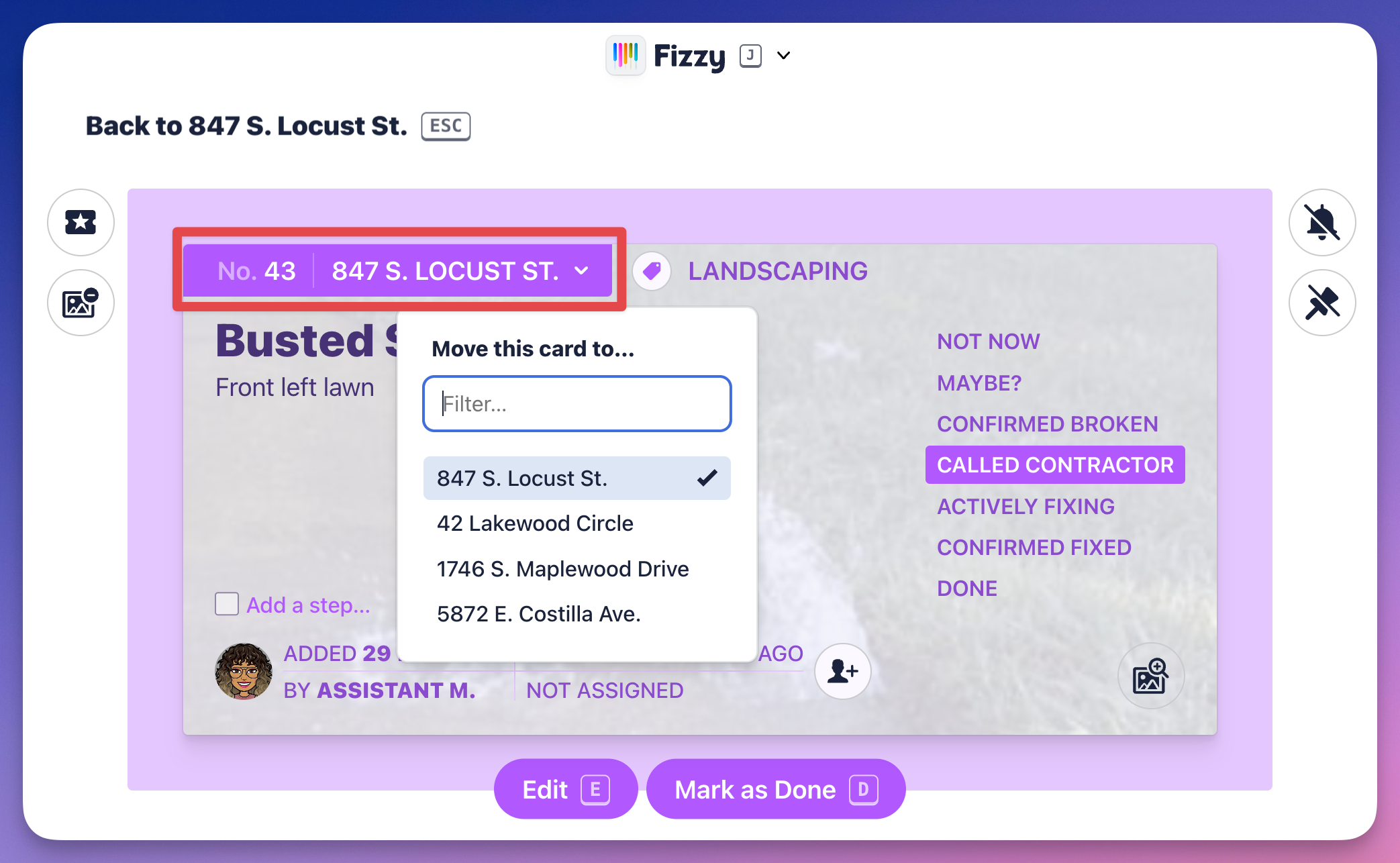
Sometimes, you'll want to move a card to another board. To do that, click the board banner on the top-left and select the new board from the drop-down menu.
When a card is moved to a different board, it goes to the MAYBE? column of the new board. You can see this in action below:
Prioritize your card
You can instantly see your more urgent cards by turning it into a Golden Ticket. Click the "ticket" icon at the top left and your card will turn gold and float to the top of the column.
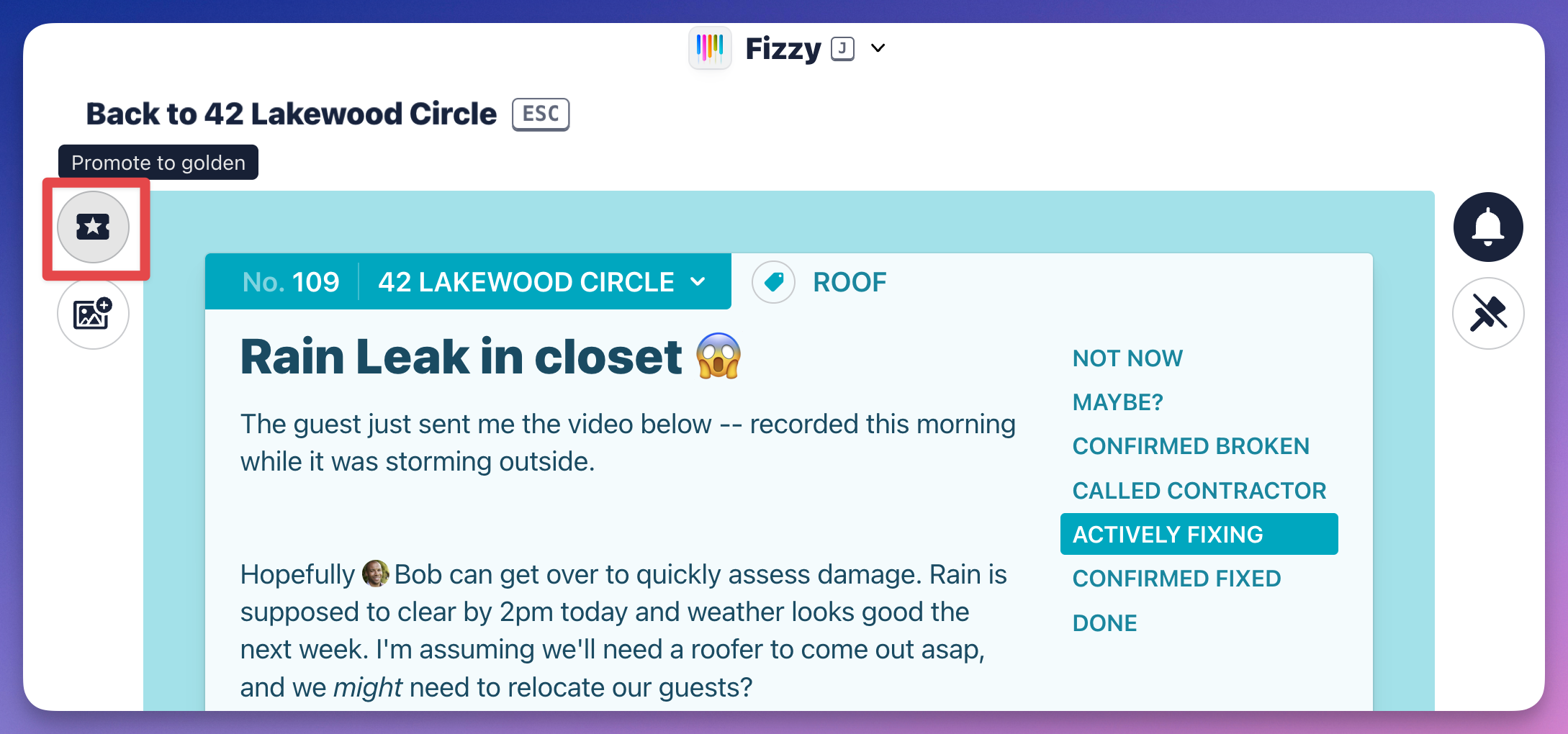
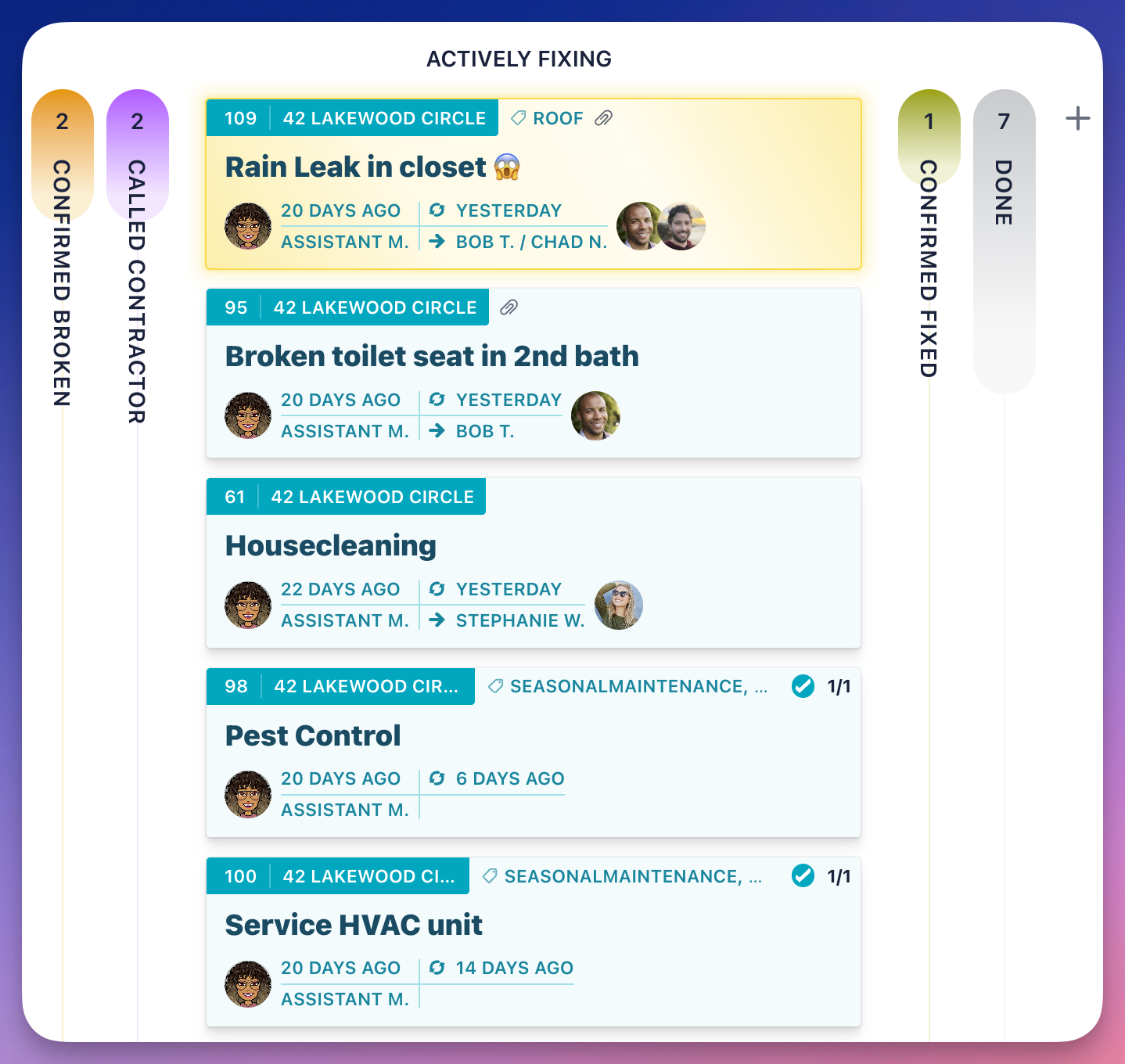
Here's how it'll look when you promote a card to a Golden Ticket: