Fizzy's Auto close feature makes it simple to keep your boards current so you can stay focused on what matters now.
Changing Auto close settings
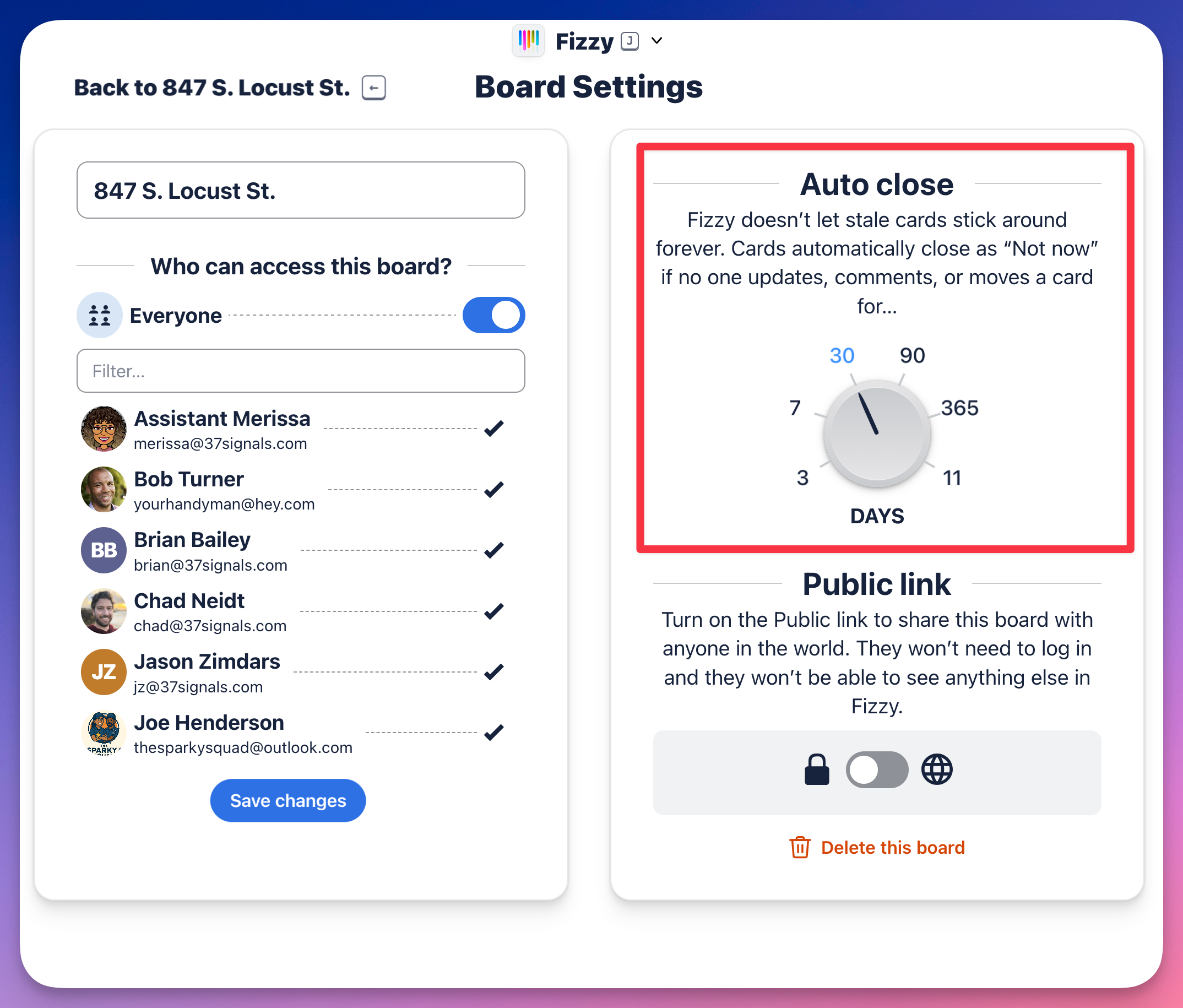
The default Auto close setting is 30 days, but administrators can change this for all cards in the account or for cards in a specific board. If you're the one who created the board, you have the power to change the Auto Close setting for that board.
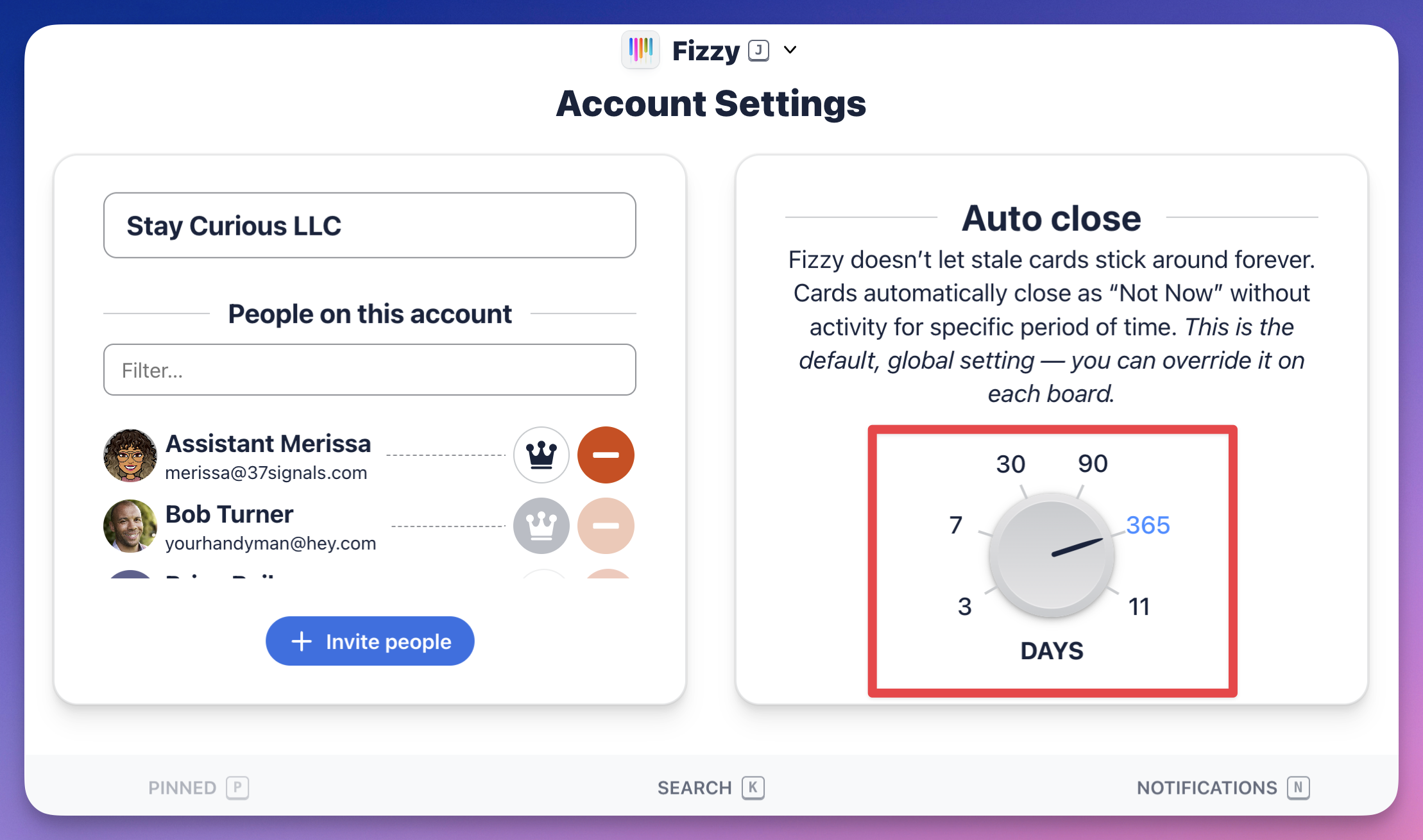
To change the default Auto close setting for the entire account, click the number of days on the dial.
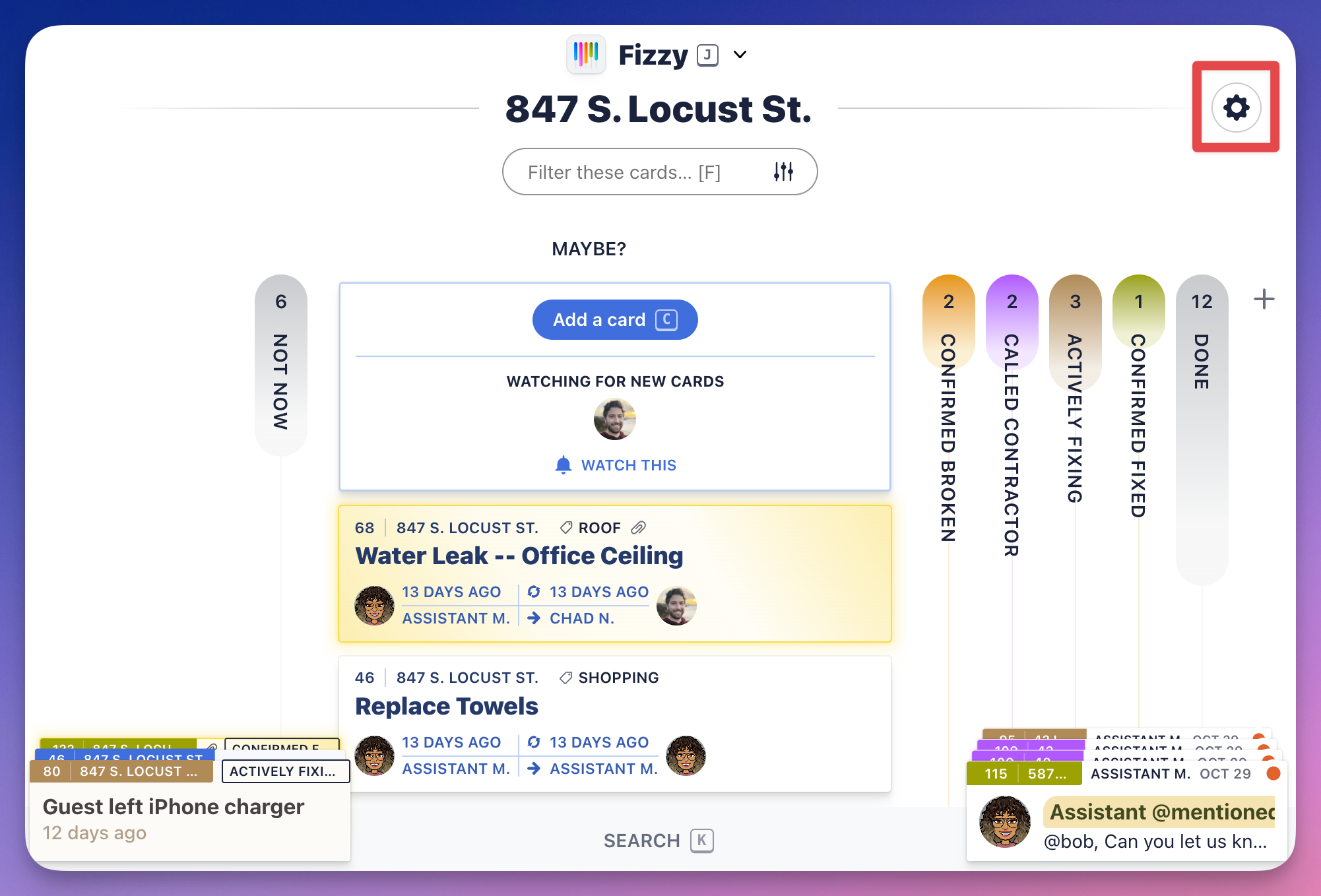
To override that global Auto close setting, administrators or the board creator will access the board settings by clicking the "gear" icon located to the top-right of a board and change the number of days there.
Boards with cards that are nearing the Auto close date will show a bubble at the top of the column.
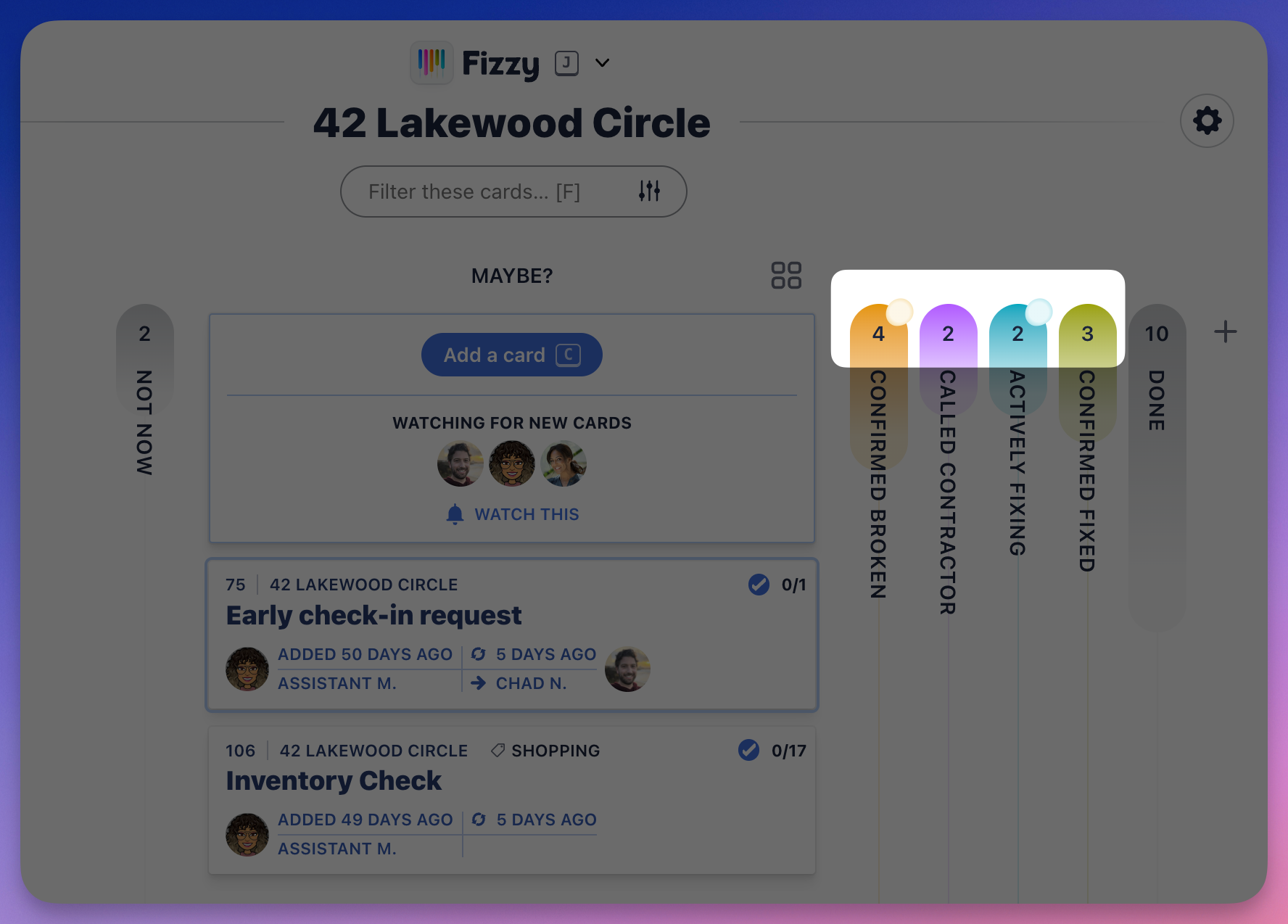
To see the inactive card, you'll expand the column and click the card with the Auto close bubble.
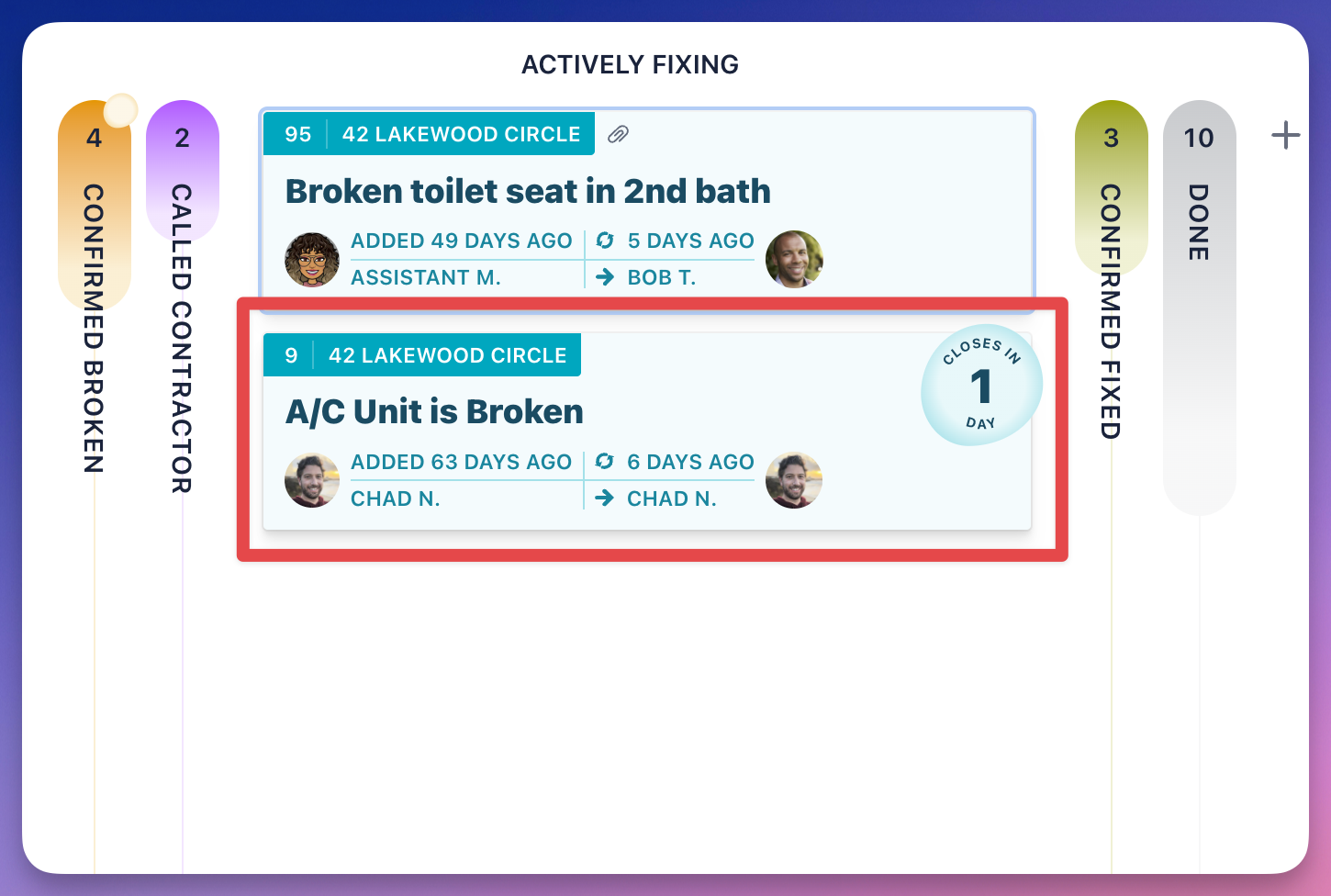
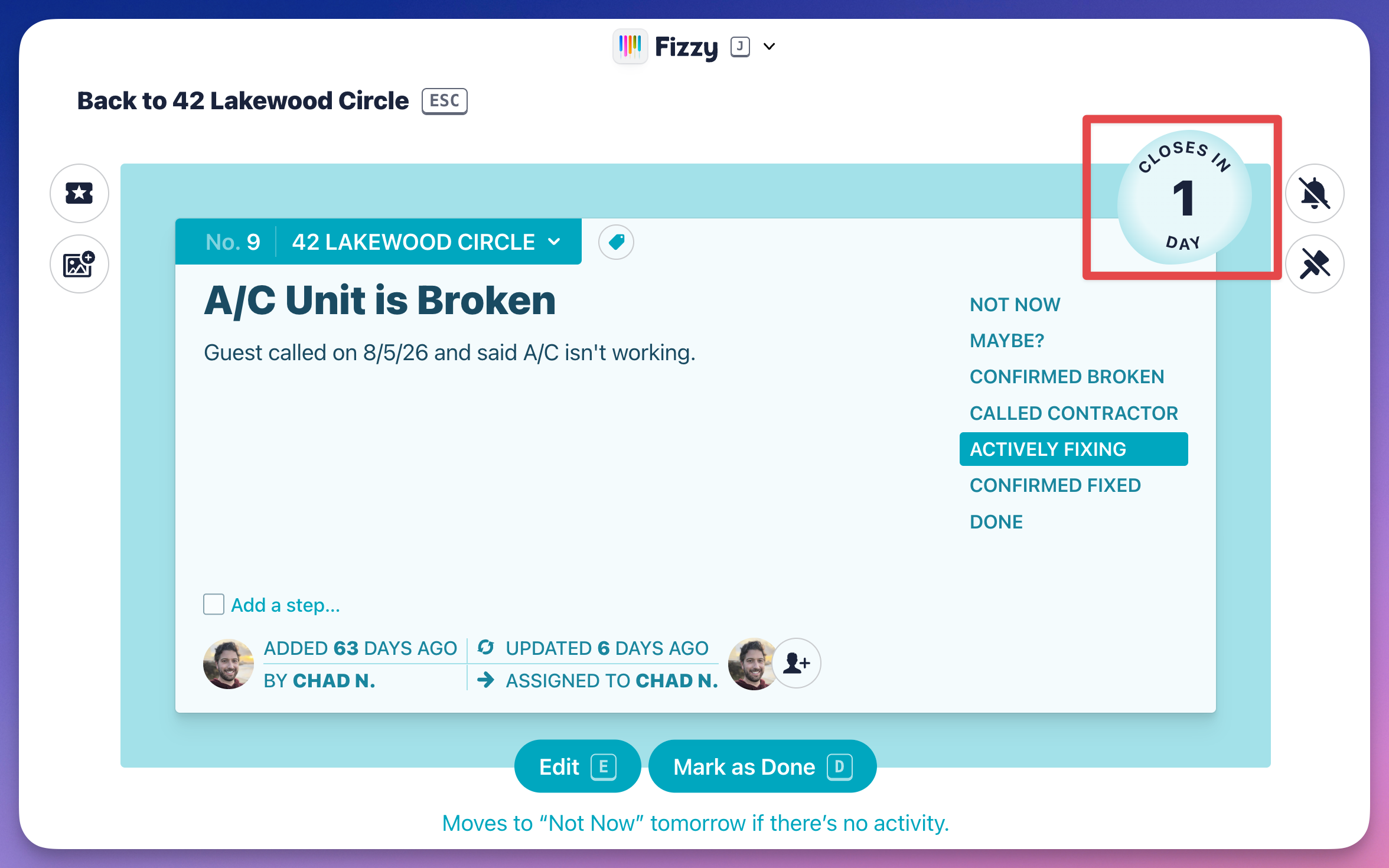
Any activity on the card will reset the Auto close countdown — posting a comment, changing the assignee, moving the card to another column or board, etc. will keep the card from moving to the "Not Now" column.